
Meet SHROOMS
The system our company runs on. It's a one-stop-shop for everything: every client, contract, invoice, hour, tax quarter and server in one place. We built it ourselves, and most days we use it by talking to it.
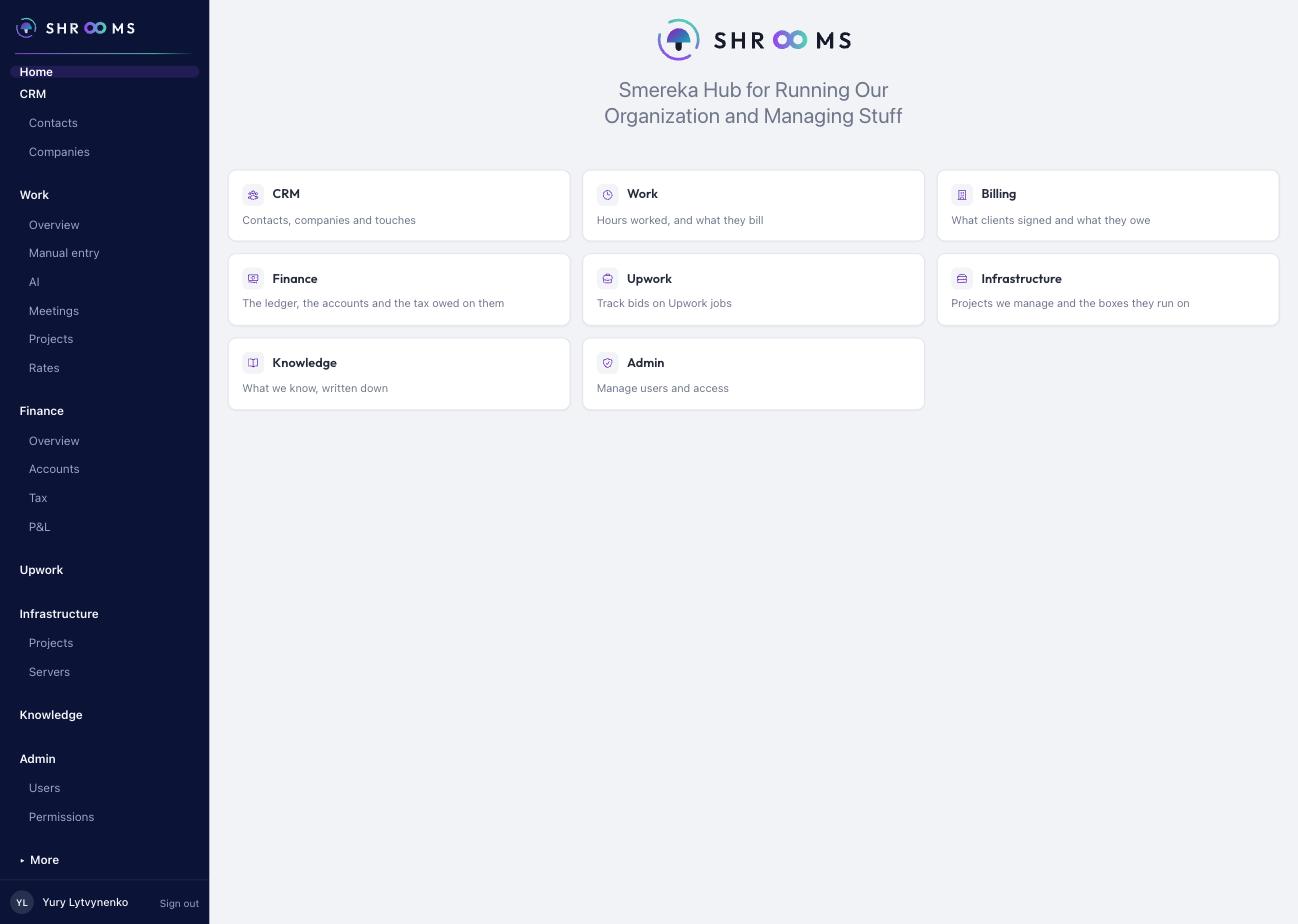
SHROOMS is our internal hub. It knows every client we work with and every conversation we've had with them. Contracts live there, invoices go out from there, and the ledger and the quarterly tax math sit right next to them. It also records the hours everyone worked (including the AI), and knows which server every project runs on and whether the last build passed.
We built it for ourselves, with the same process we use for client work. It started as a way to stop copying numbers between spreadsheets. Making it the way the company runs was a deliberate move, with one guiding principle: everything lives in SHROOMS.
What's inside
The CRM holds people and companies the way we actually think about them: who we talked to, when, and what about. There are no pipeline stages we don't actually have, and no fields required by somebody else's sales method.
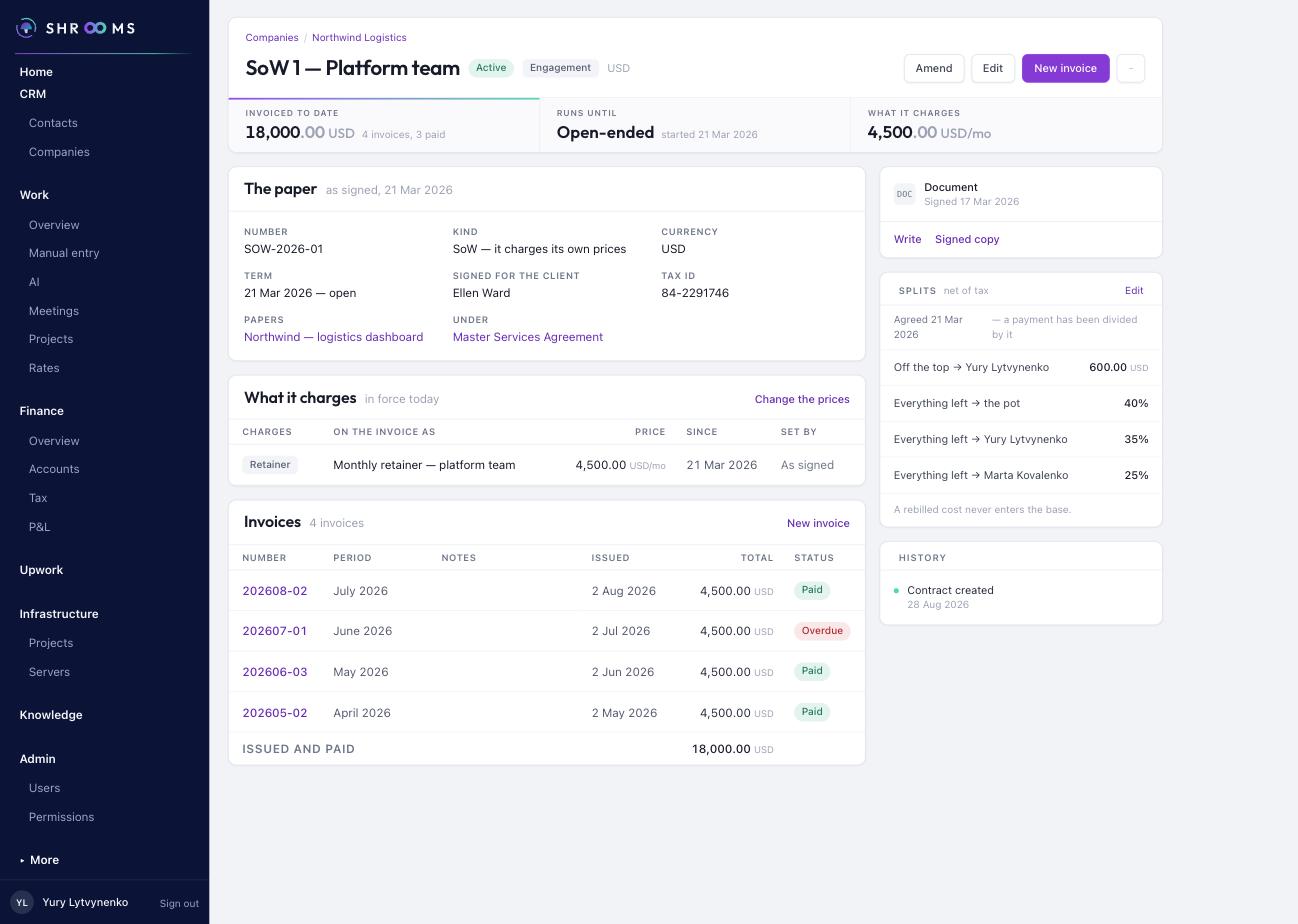
Billing is where a contract lives as one record: the terms as signed, what it charges, every invoice raised under it, and how the money is split when it arrives. The record is the document.
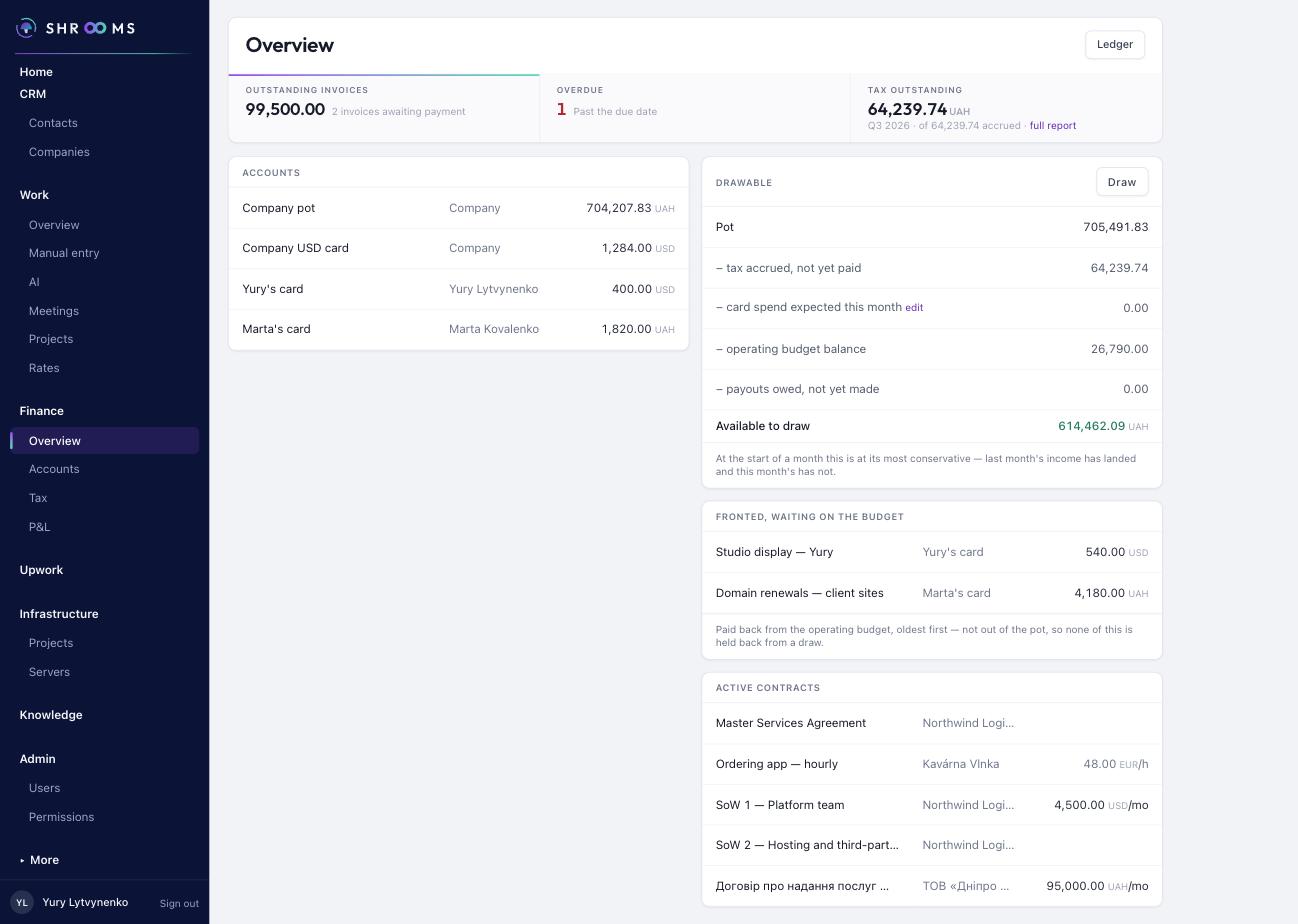
Finance takes raw ledger entries and turns them into everything else: a twelve-line P&L with by-client and by-person views, tax accrued per quarter, and a live answer to the question owners actually ask: how much can I take out of the company right now?
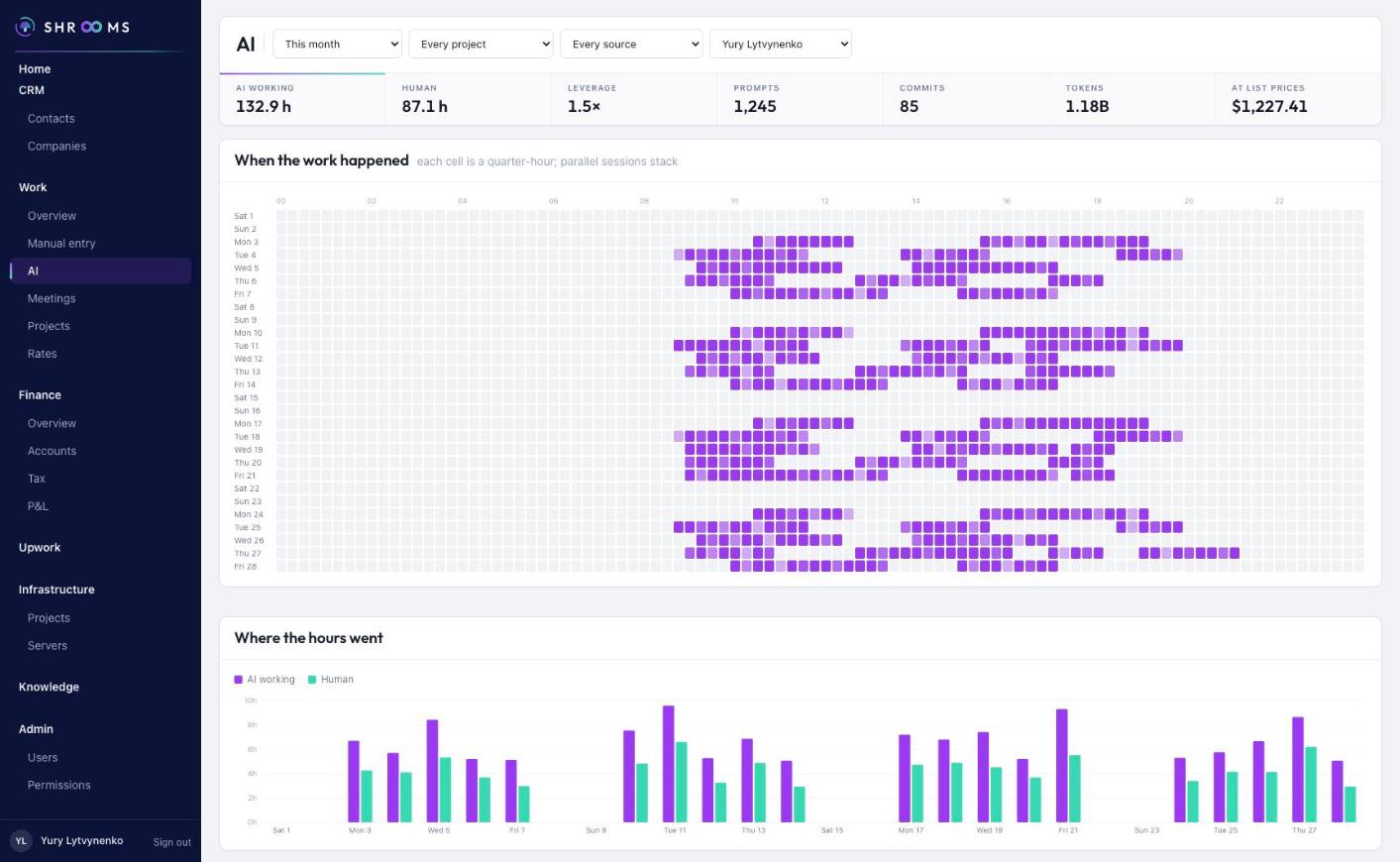
Work collects hours from keyboard tracking, the calendar and manual entries, merges them, and shows where the time went. The AI is a worker here too: it has an internal rate, its hours sit next to keyboard hours, and its token spend is priced. Knowledge keeps the runbooks and client notes, and Infrastructure lists every repo we manage, the box it runs on, and whether CI is green.
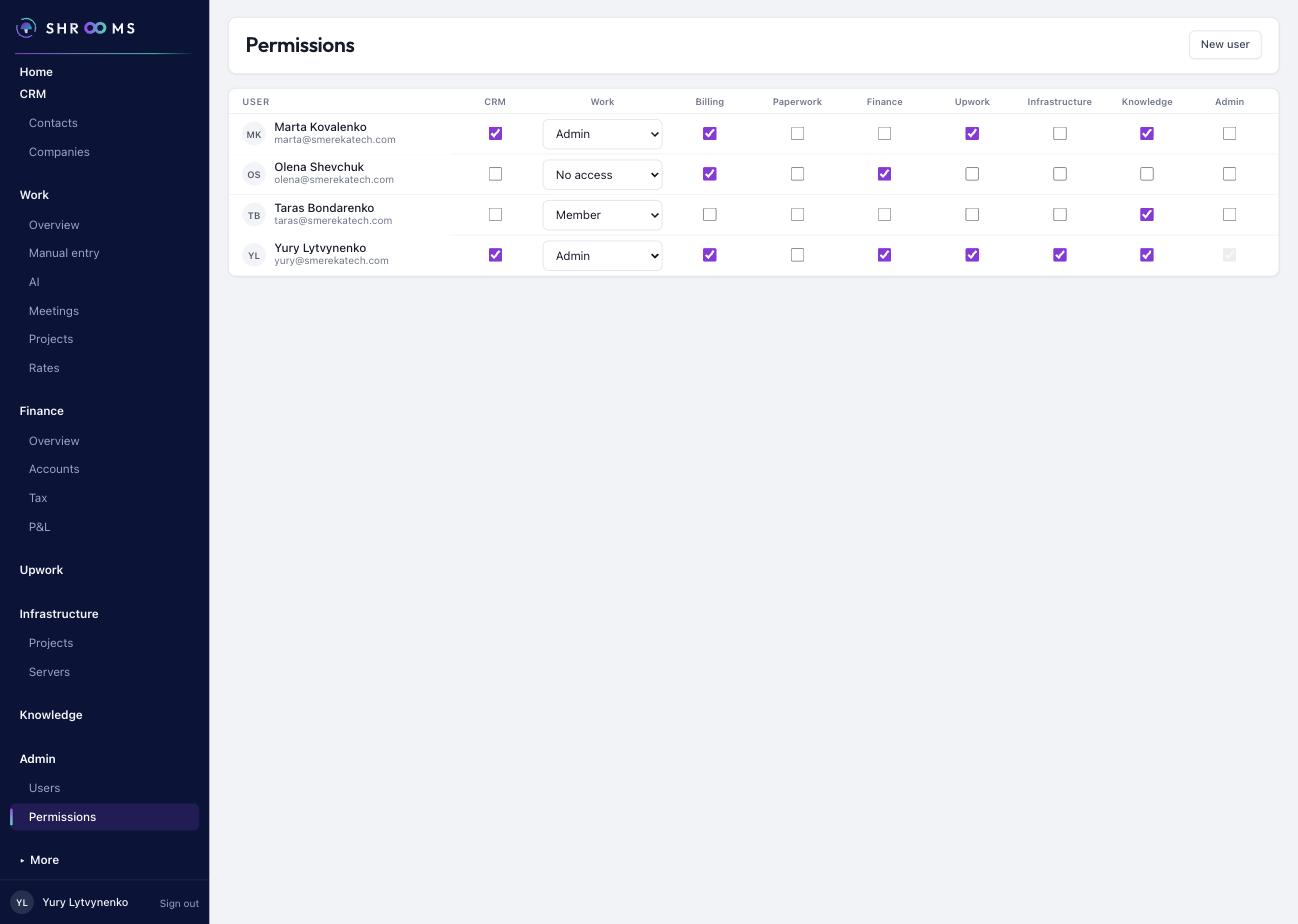
Permissions cover all of it: each person gets the modules they need and nothing else. That applies to the AI as well, since a session works with the access of the person who connected it.
Putting it all in one place found us money almost immediately. Backfilling the history turned up work we'd delivered but never invoiced, and one contract that had ended without us noticing.
We talk to it
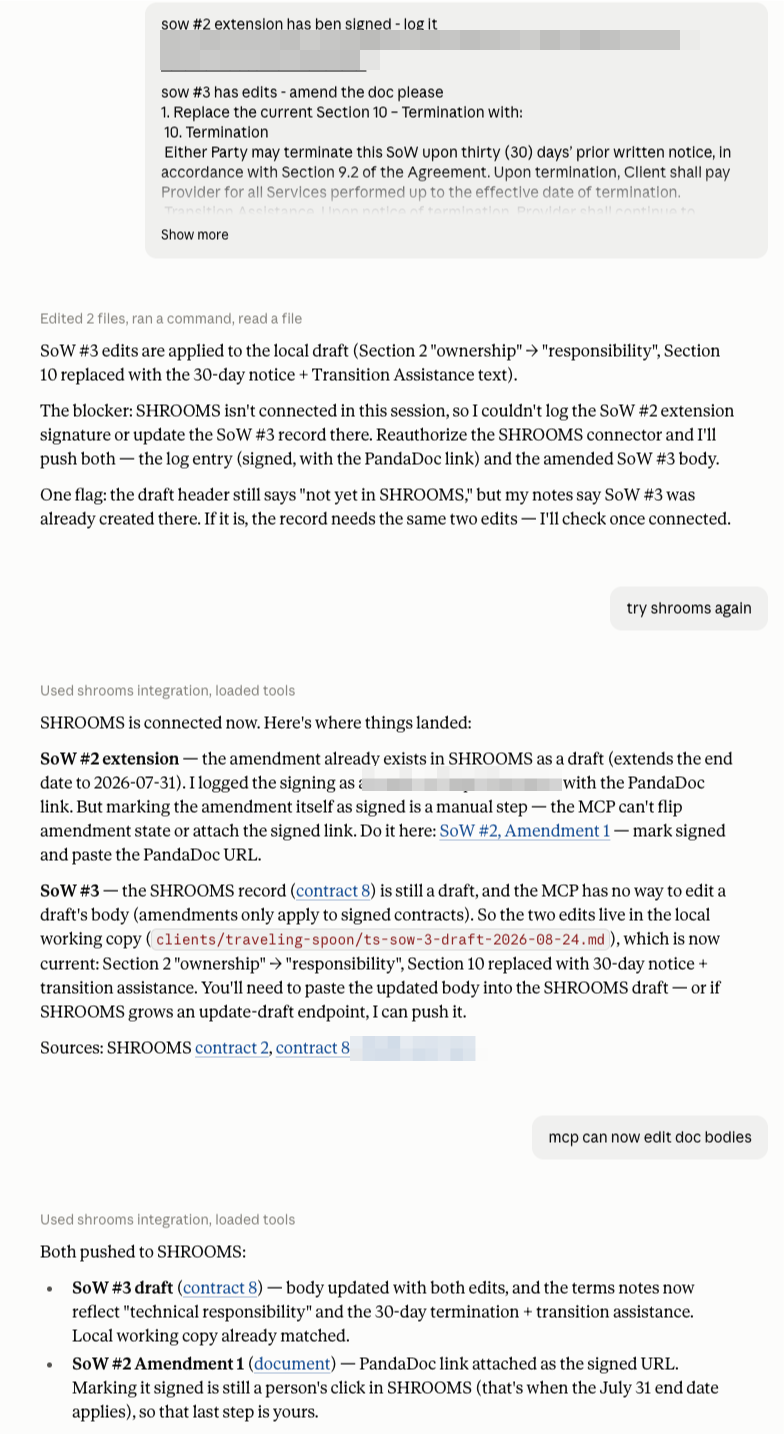
SHROOMS has its own MCP server, which means our AI sessions work inside it, not through exports, copy-paste or a browser plugin. The exchange in this screenshot is real. "SoW #2 extension has been signed, log it" becomes a touch on the contract record with the signed document attached; a list of edits to SoW #3 gets applied to the draft's body right in SHROOMS. When a session ends, it can also report its own hours, prompts and token spend into the timesheet.
You can also see the system growing mid-conversation: at first the MCP had no way to edit a draft's body, so we added one, and the next message pushed the edits through. That's what cheap rebuilds look like day to day.
There's a division of labor here that we think matters more than any feature. People enter raw facts: a payment landed, this meeting was for that client. Everything that can be derived from those facts is computed: the P&L, the tax, the splits, the balances. What's left for the AI is language and intent: logging, drafting, summarizing, asking when something's missing. It never does arithmetic. Every number in the system traces back to a fact a person vouched for, through formulas anyone can inspect.
Why we built it instead of buying
Spreadsheets were doing the job, and they would have kept doing it. Spreadsheets always sort of work. But the longer a company lives in them, the more of its process gets buried in cells and links between files, and the harder it becomes to ever move out. So we invested in our own system early, while the move was still small.
Buying something was the obvious alternative, and price wasn't the issue: at our size most of these tools are cheap or even free. The real cost is fitting your company into someone else's model of how companies work, and using 5% of a product that's slow because of the other 95%. (HubSpot still gives Yury flashbacks.) A few years ago that was a cost you just paid, because building your own wasn't something a company our size could justify. With agentic engineering it is (the numbers are below).
What it took
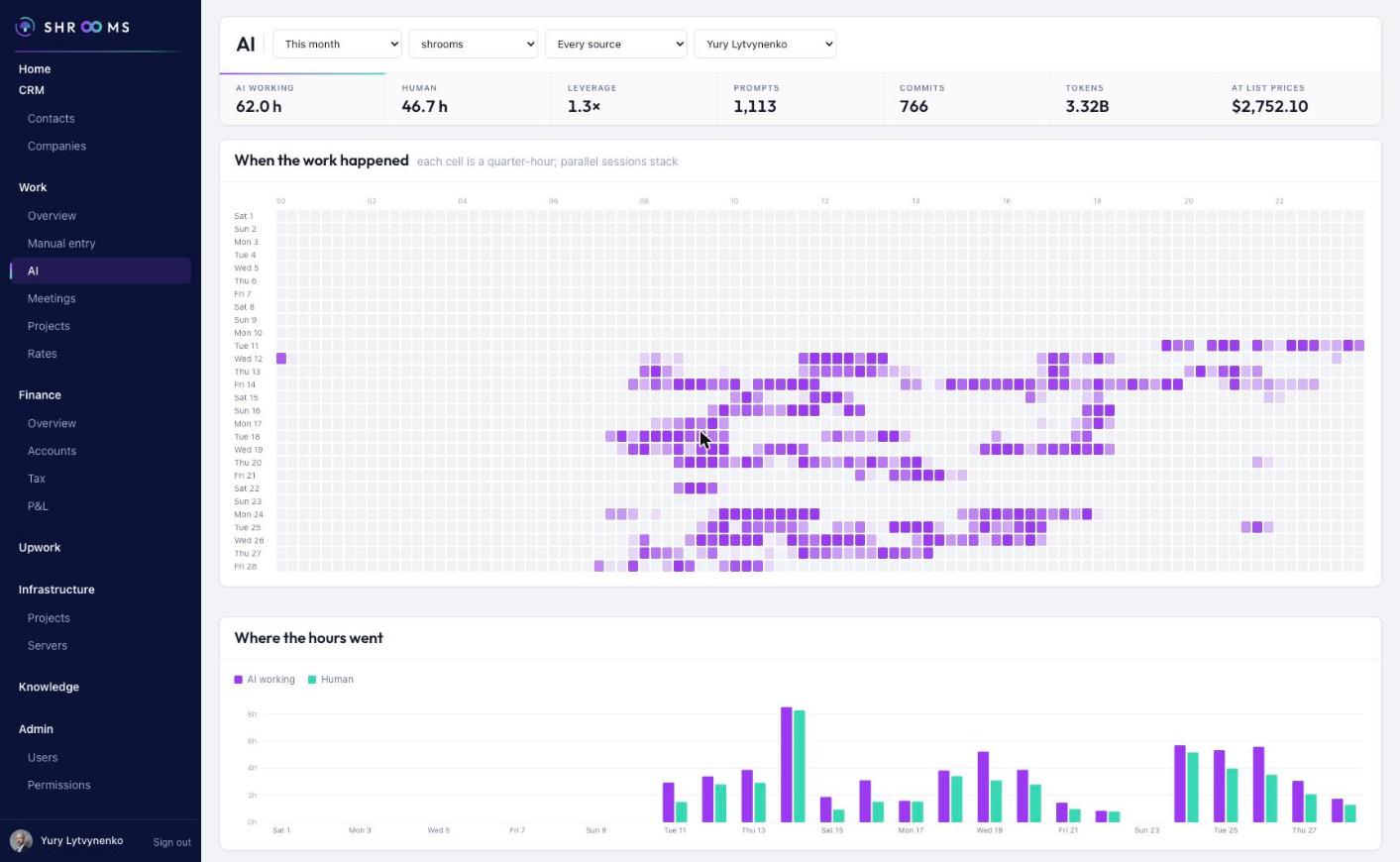
We can answer this precisely, because SHROOMS tracked its own construction: the Work module has the build recorded per day. In under three weeks of August: 62 hours of AI work next to 47 hours at the keyboard, 1,113 prompts, 766 commits, 3.32 billion tokens.
To put the 62 AI hours in old-world terms: a person doing that work at six focused hours a day would need well over two working weeks, and that's the typing alone. The bigger difference is the feedback loop. Reviewing a human's work means writing it up or booking a meeting, then waiting for the fix to surface from the backlog. Here the loop is minutes: review when there's time, say what's wrong, and it's implemented while the tab is still open.
It's also how software development was supposed to work ever since Scrum was invented: move in short cycles, get a usable increment after each one, rather than waiting months for a big-bang feature to be finished. We were using SHROOMS the whole time it was being built, what we learned from the use set the direction for the next cycle, and the ROI started on day one.
What we took on in exchange is ownership: our bugs, our backups, our server. For us that trade is easy, it's the work we do anyway.
What we learned
The old wisdom says don't build custom software until your process settles, because code sets it in place. For us it worked the other way around. We've rebuilt parts of SHROOMS several times as we understood our own company better. Contracts, for example: we built the feature the way we assumed we'd use it, started backfilling real agreements, and saw the model was wrong. So we rebuilt it. When redoing a feature costs an evening, the software can keep up with a process while you're still shaping it.
The rebuilds taught us to implement things just in time. Every feature we built ahead of need, guessing how we'd use it, got rebuilt once real use arrived and the guess turned out wrong. Not a big deal (rebuilding is cheap), but now nothing gets built before it's needed.
And that might be the best part of running on your own system: when a bit of it annoys us, we don't file a request with a vendor and wait. We just rebuild it.
What we offer
We build for our clients the same way we built SHROOMS:
- Bespoke software that fits the way your company actually works.
- The first working piece is live in weeks and can be used right away.
- Delivery goes in small iterations, so the system stays in a working state the whole time.
- We take baby steps rather than replacing everything you have in one go.
- And the result is AI-native, so you can talk to your software from whatever agent you already use.
The way to start is a small scoped pilot: one painful workflow, two to four weeks. If this page made you think of a spreadsheet you're tired of, let's talk.